
In development
Reading & early math
Reading practice you do together, in about five minutes.
WonderPages isn't somewhere to park a child with a tablet. It's a short nightly session you sit through with them — the app teaches the sounds, and you say how it went.
The problem
Why helping with reading at home is so hard
You want to help. But you learned to read so long ago that you can't remember how, and the advice you find contradicts itself. Do you sound words out or memorize them? Is it wrong to say "buh" for b? What order is any of this supposed to come in?
So most reading apps do the opposite of helping: they hand the child a tablet and hand you a progress bar. Your child taps through games, something happens, and you have no idea whether it worked or what to do at bedtime tomorrow.
The evidence is fairly clear that reading comes from a deliberate sequence of sounds practiced little and often, with someone alongside. That's an easy thing to describe and a hard thing to run — which is the part software should be doing.
What it does
How a WonderPages session works
The same shape every night, so nobody has to decide anything.
Five steps, then it's finished
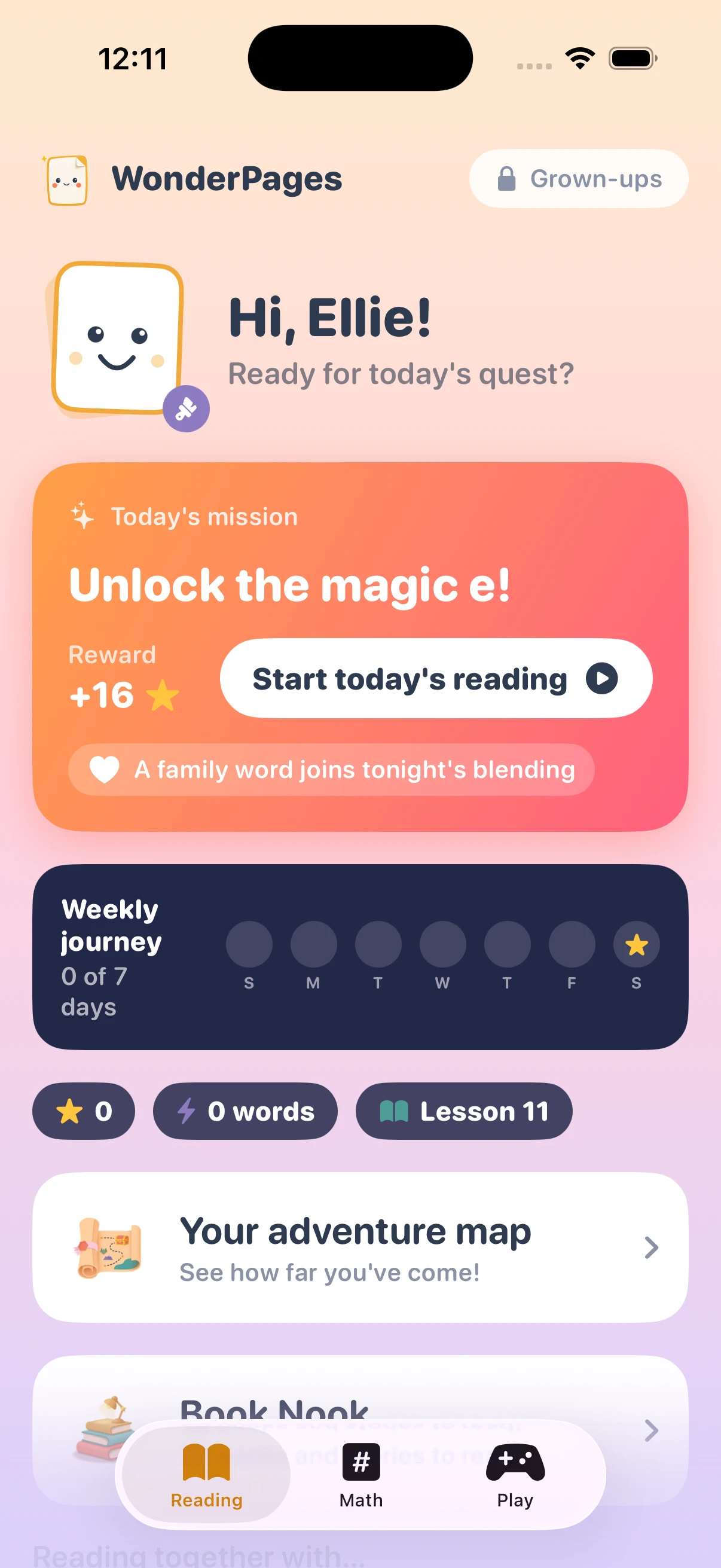
A session moves through a sounds warm-up, blending words, reading sentences, a story, and heart words — then a celebration, and you're done. It ends on its own rather than dangling the next level in front of a tired child.
Lessons run in a set order — Lesson 11 of 30 is Magic e — so nothing is skipped and nothing arrives before the sounds it depends on.
- A fixed sequence of 30 phonics lessons
- Heart words taught separately, and on purpose
- An adventure map so your child can see how far they've come
You're the one who says how it went
After each read, three buttons: Smooth!, Some help, Tricky. You tap one. That's the whole input — and it's what decides which sounds come back tomorrow and when the next lesson unlocks.
It works this way because you can hear things no app can: that she got it but only after a long pause, that he was guessing from the picture. WonderPages never listens to your child read. It doesn't need to, because you're sitting right there.
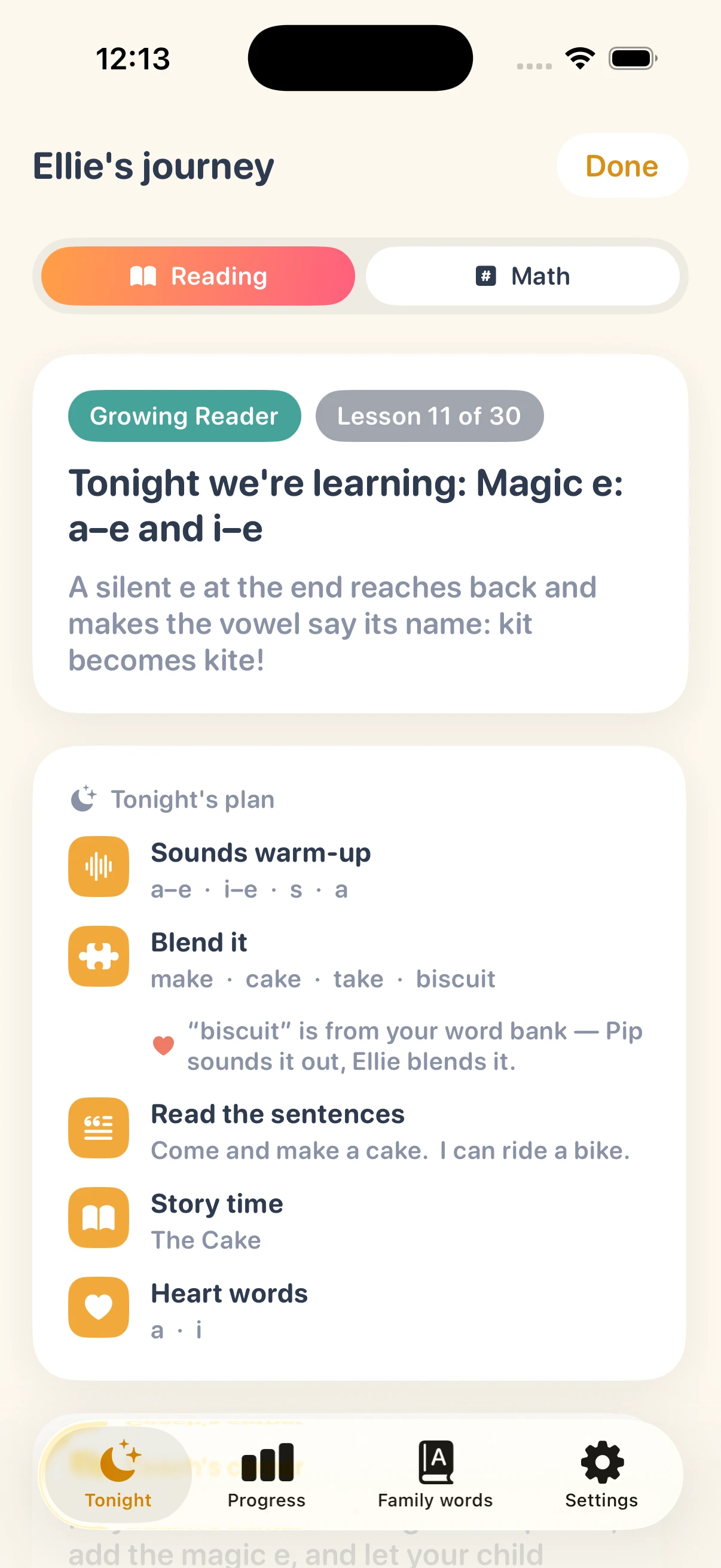
Tonight: Magic e — kit becomes kite.
You get told what tonight is about, and why
Behind the grown-ups' lock is Tonight's plan — the lesson, in plain English, before you start. "Magic e: a–e and i–e. A silent e at the end reaches back and makes the vowel say its name: kit becomes kite!"
Under it, exactly what's coming: the sounds being warmed up, the words to blend, the sentences to read, the story, the heart words. So you know what's happening, and you can help without guessing at the method.
Progress is shown as a map of every sound your child has met and how solid each one is — not a percentage that means nothing.
Family words
Reading practice built around your family's own words
Add the words that matter in your house — the dog's name, a grandparent, a favorite food — and WonderPages tells you which lesson each one becomes sound-out-able at, then drops it into the blending practice when that day arrives.
So tonight's list isn't make, cake, take. It's make, cake, take, biscuit — because biscuit is the dog, and your child has wanted to read that word since before they knew what a vowel was. Words that don't follow the rules yet are kept as look-and-know words rather than being forced.
Names are treated as known from day one, because a child shouldn't have to sound out their own sister.
And the numbers
Early math on the same nightly rhythm
The math track runs the same way, and just as deliberately: counting, the dot patterns you learn to recognize without counting, friends that make ten, doubles, carrying a ten, borrowing a ten, skip counting, and on into the hundreds — plus clocks, coins and measuring.
Same structure, same short sessions, same plain-English briefing for whoever's sitting alongside.
Fair questions
Is this another app that will nag my child?
No. There's nothing to buy inside it, no ads, and no third parties collecting anything about your child. The session ends when it ends. Anything aimed at grown-ups sits behind a lock that asks for a multiplication problem, which is a reliable filter for a five-year-old.
Pip — the character who teaches the sounds — has a real human voice behind her, and she says each sound the same way every time. That consistency is the point: the /k/ your child hears tonight is the one they heard last week, so they're learning a sound rather than an impression of one.
WonderPages is a practice tool for families, not a diagnostic or a replacement for teaching. Children learn to read at their own pace and in their own time; if you have concerns about your child's reading, speak to their teacher or a specialist.
Pricing
Free for 15 days, then $21.99 once
Try all of it — every lesson, both subjects, the grown-ups' section — for fifteen days. No card, no auto-charge, no subscription at the end of it.
The trial
- Everything unlocked for 15 days
- No payment details required
- It expires — it doesn't start charging you
WonderPages $21.99 once
- All 30 phonics lessons
- The full early math track
- Family word bank and the grown-ups' section
- Book nook, games and avatar studio
- Family Sharing for up to five people
One purchase covers your household. No subscription, no in-app purchases, no advertising.
- Requires
- iOS 17.0 or later
- Devices
- iPhone and iPad
- Price
- Free for 15 days · $21.99 once
- Family Sharing
- Up to five people
- Ads
- None
- Microphone
- Grown-ups' section only, optional
Five minutes, side by side.
WonderPages is still in development. LeasePace and STRAXE are on the App Store now, if you want to see how we finish things.